
Codes
Steam Idle Loot has no confirmed public coupon list as of September 2026. Watch Discord and Steam News; mobile Idle Heroes codes fail here.
View all CodesIdle loot, Steam Market trades, class builds, and Early Access farming guides.
Unofficial wiki for War of Genesis: Idle Loot covering classes, Steam Market trading, blacksmith synthesis, and AFK farming.

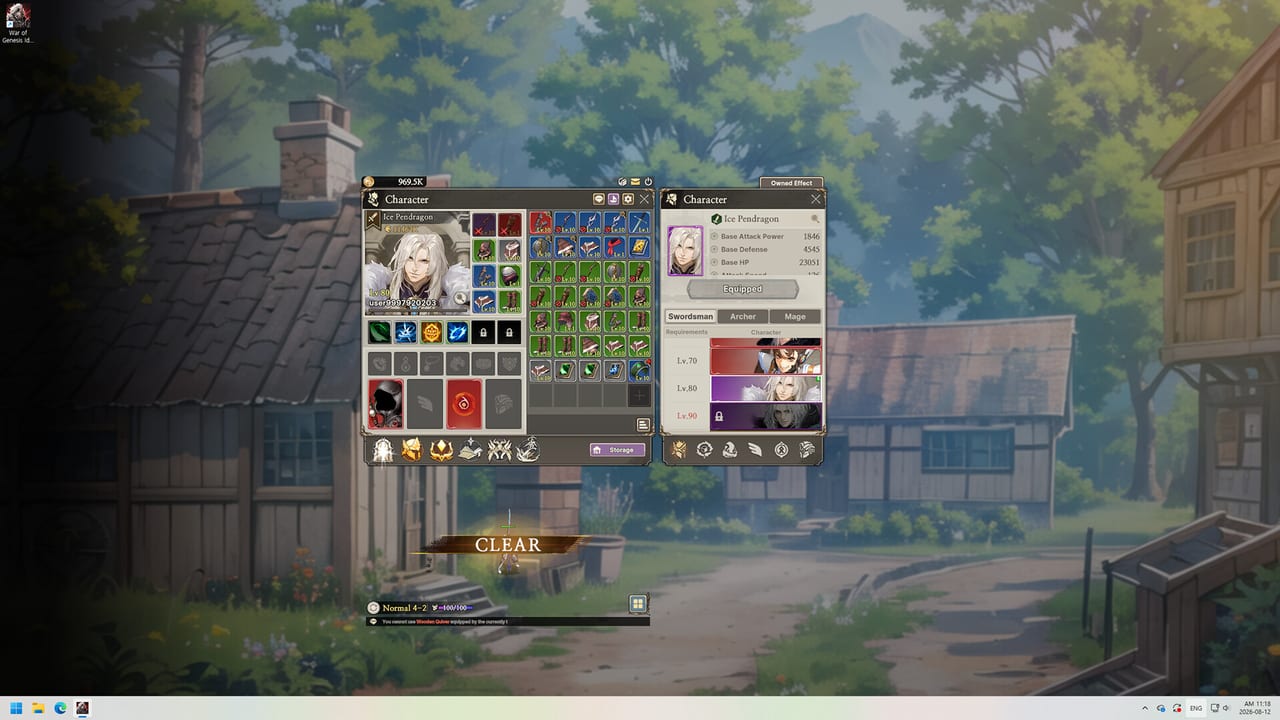
War of Genesis: Idle Loot is a free-to-play idle RPG from New Normal Soft Inc. A 3D hero camps in the corner of your Windows desktop, clears stages with no combat controls, and rolls weapons, armor, jewels, pets, wings, and runes while you work. Steam Early Access began 10 September 2026. Commanders pick a Swordsman, Archer, or Mage, then collect named characters such as Ice Pendragon. The hook is not only AFK combat: drops can be listed on the Steam Community Market, so overnight farming can turn into wallet funds if you spend a Diamond to list. This wiki separates the Steam title from the mobile game War of Genesis: Idle Heroes — they do not share accounts, codes, or cross-play. Start with the Getting Started walkthrough, then pick a class from the class tier list, learn Steam Market listing, and keep the Equipment Forge loop from clogging your bag. When you are ready for group content, read Alliance Raids and World Boss.
Steam Idle Loot has no confirmed public coupon list as of September 2026. Watch Discord and Steam News; mobile Idle Heroes codes fail here.
View all CodesSteam idle RPG walkthroughs covering first hour, Equipment Forge, Market listings, raids, AFK farming, and an honest Early Access review.
View all GuidesHonest opening-week War of Genesis: Idle Loot tier lists for classes, 14-slot gear, and pets, wings, runes, plus magitech collectibles.
View all Tier ListCompare Swordsman, Archer, and Mage, then lock a main first before Training gold and named roster heroes eat your Early Access budget.
View all ClassesOpening-week Steam notes, mixed reviews, and the Early Access roadmap. Track login bugs, market retrieval, and planned quality-of-life.
View all UpdatesWindows specs, the unofficial companion planner, and the 82 Steam achievements Commanders still chase now in War of Genesis: Idle Loot.
View all ToolsOfficial Steam, Discord, and X links plus the unofficial companion and this fan wiki. Confirm patches before you spend any Diamonds.
View all LinksGrab the free Steam client for Windows 10/11, then read system requirements if the unsigned executable warning appears. There is no macOS or Linux build.
Combat is automatic, but your class still decides weapons and skill trees. Compare them on the class hub before you dump Training gold.
Drops fill 14 gear slots plus jewels. Use the Equipment Forge to combine junk, auto-register gear, and keep inventory from stalling your AFK run.
One Diamond arrives about every four hours. Spend it on growth, or list a high-tier drop using the Steam Marketplace guide.
Raids, World Boss, and Arena need a roster. Follow Alliance Raids, hold Diamonds until a listing is worth it, and read Steam Notices plus the Early Access roadmap.
Quick answers to the most common questions.
Read the Getting Started guide, then lock a main on the class tier list and check codes so you do not redeem Idle Heroes coupons by mistake.
No. It is a Steam Windows idle loot RPG. A separate mobile title, War of Genesis: Idle Heroes, uses the same IP but does not share saves, codes, or cross-play.
As of September 2026 the Steam client has no confirmed public coupon list. See the codes hub for how we track future drops and why mobile codes fail here.
Steam lists 17 interface languages, including English, Korean, French, Italian, and German. This wiki covers English plus French, German, and Spanish. It is not a Roblox title, so we do not force a five-language Roblox set, and we skip Simplified Chinese and Russian.
Yes, eligible drops can go to the Steam Community Market. Listing consumes a Diamond. The marketplace guide covers fees, retrieval, and the upcoming mailbox change.
No. It is a fan resource. Confirm patches on Steam News, Discord, or official links before you spend Diamonds or Steam funds.
Use the beginner guide for the first hour, the class pages to lock a main, and the updates hub so preset and jewel auto-combine notes do not surprise you mid-grind.
Open the beginner guide