
War of Genesis: Idle Loot Idle Loot PC requirements
Steam’s minimum and recommended specs, plus the Windows 11 unsigned-exe warning Commanders hit on first boot.
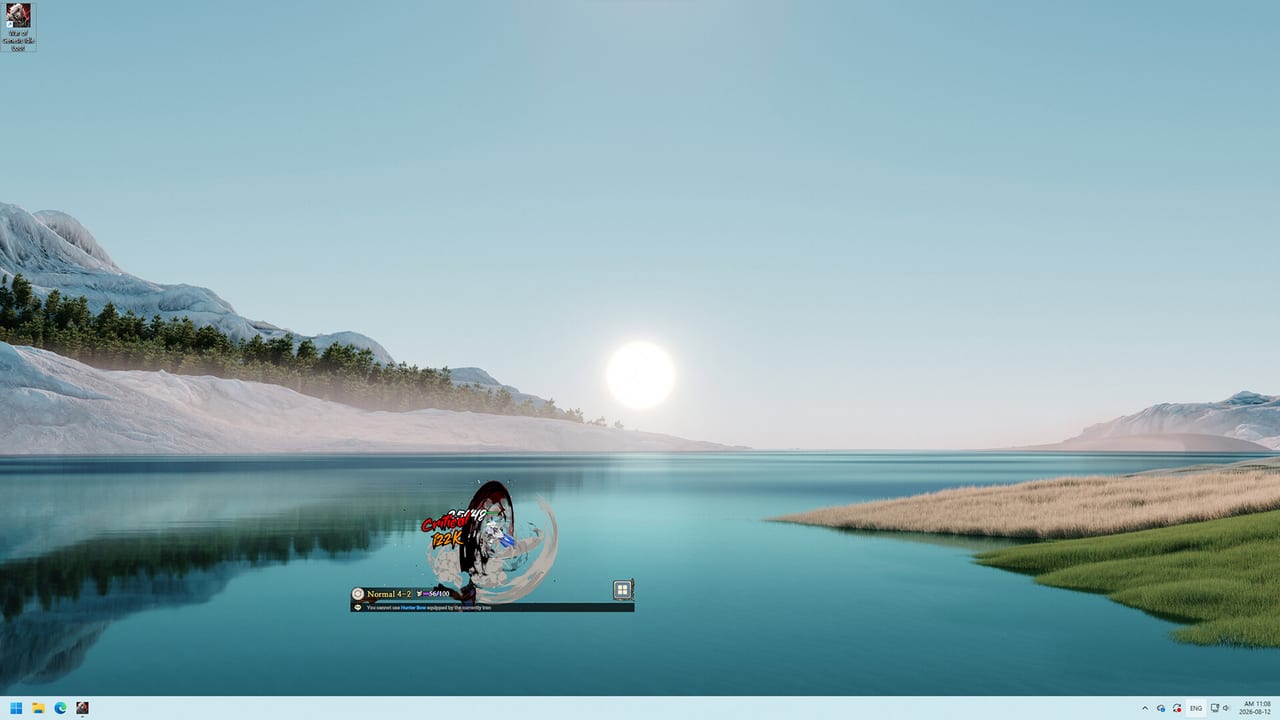
War of Genesis: Idle Loot is a Windows-only Steam client. There is no macOS or Linux build on the store page, and Steam Deck compatibility is listed as unknown. Steam Early Access began 10 September 2026. If your machine misses DirectX 11 or 64-bit Windows, the overlay will not be a cute corner pet — it will not start. This page copies the official spec sheet, then adds the practical warnings from opening-week discussions.
Official Steam specs
Minimum
- OS: Windows 10 64-bit
- CPU: Intel Core i3-6100 / AMD Ryzen 3 1200
- RAM: 8 GB
- GPU: GeForce GT 1030 / Intel Iris Xe / Radeon Vega 8 or better, DirectX 11 compatible
- DirectX: 11
- Network: broadband Internet connection
- Storage: 3 GB available space
Recommended
- OS: Windows 11 64-bit
- CPU: Intel Core i5-8400 / AMD Ryzen 5 2600
- RAM: 16 GB
- GPU: GeForce GTX 1050 Ti / GTX 1650 / Radeon RX 560 or better
- DirectX: 11
- Network: broadband Internet connection
- Storage: 3 GB available space
Both columns require a 64-bit processor and operating system. Integrated GPUs that still expose DX11 (Iris Xe, Vega 8) are in the minimum line on purpose: the 3D Commander is small, but it is not a 2D tray icon.
Unsigned executable warning
Opening-week threads titled “Game Won’t Launch on Windows 11 Due to Unsigned Executable” were not theoretical. SmartScreen or Windows reputation can block a freshly stamped Early Access binary that has no long Authenticode history.
Safe order:
- Install and launch only through Steam.
- If SmartScreen appears, confirm the path is under your Steam library, then More info → Run anyway.
- Verify integrity of game files.
- If an antivirus quarantines the exe, restore that one file from the Steam common folder — do not turn off real-time protection globally.
- Reboot once if a driver-level AV still holds a lock on the binary.
Never fetch a “signed” replacement from a helper site. Pair this with launch issues if the problem is login rather than the OS blocking the file.
Overlay and desktop use
The store pitch is a transparent 3D hero in a small corner of your desktop. That implies a desktop (Explorer shell, other windows, a second monitor). We do not claim the overlay always wins against exclusive-fullscreen games, borderless tricks, or every GPU overlay (GeForce, AMD, Xbox Game Bar) at once. If you play a fullscreen title and Idle Loot disappears, try windowed or borderless on the other game, or park Idle Loot on a second display. That is a compositor limit, not a missing setting in how to play.
Broadband is mandatory because Alliance Raids, World Boss, Arena, and Market listings are online. Offline “pure AFK” with no login is not the product. Login loops and map-switch failures are server/client bugs documented on launch issues, not spec failures, unless you are on a metered connection that drops the session.
Community-reported folders
Commanders and the unofficial helper both point at two locations. Treat them as community-reported, not an official support article:
- Save / config style data:
%LOCALAPPDATA%Low\Newnormal Soft\War of Genesis Idle Loot\ - Steam install: the game’s folder under
steamapps\common\(oftenWar of Genesis Idle Loot)
%LOCALAPPDATA%Low is the Unity-style LocalLow path (AppData\LocalLow on most PCs). Copying that folder is not a cloud backup. Do not delete it to “fix” a map bug until you have tried a verify and a Steam restart. Do not share profile JSON in public Discord; it can contain names and progress you would rather keep.
The unofficial companion can point at those paths for planner imports. That still does not make the helper official, and it is not a license to hook the running process.
What these specs are not
They are not a cheat guide. Raising RAM will not mint Diamonds. A better GPU will not skip blacksmith fusion rules or achievement grinds. Cloud PCs and “Windows on ARM in emulation” are unlisted; if a thread says a cloud desktop cannot log in, believe the launch issues reports rather than this spec table.
After the overlay stays up, go to Getting Started and pick Swordsman, Archer, or Mage on the class hub. Requirements only get you to the title card. For official download links, use the links hub.
Frequently Asked Questions
Quick answers to the most common questions.
What is the true minimum GPU?
Steam lists GT 1030 / Iris Xe / Vega 8 with DirectX 11. Details and the unsigned-exe note are on system requirements.
Can I play on a Mac?
No macOS or Linux client is listed. The tools hub only documents the Windows overlay.
Where are saves stored?
Community reports point at `%LOCALAPPDATA%Low\Newnormal Soft\War of Genesis Idle Loot\` plus the Steam common folder. The companion mentions the same paths as planner hints.
Does the overlay work over fullscreen games?
It is built for a desktop corner. We do not claim exclusive-fullscreen compatibility. See how to play for overlay habits.
SmartScreen blocked Genesis.exe. Is my PC too weak?
Probably not. That is the unsigned binary warning. Follow the steps above, then launch issues if login still fails.
How much disk space do I need?
Steam lists 3 GB. Leave extra room for Steam itself. Download only from the official Steam page.